资源介绍:
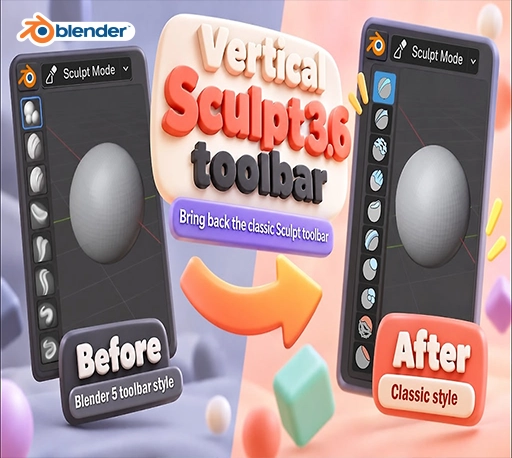
Sculpt 3.6 Toolbar Classic是一款Blender雕刻模式工具栏增强插件,可将Blender 3.6经典雕刻工具栏布局恢复至Blender 5.0+。插件提供32个常用雕刻笔刷快捷按钮,保留原版图标及排列顺序,支持Draw、Clay Strips、Smooth、Grab、Snake Hook、Crease、Pose、Cloth等笔刷一键切换。同时支持笔刷状态同步、自定义按钮分配及隐藏资产架,延续熟悉的雕刻操作习惯,提升角色雕刻与模型塑造效率。
Miss the sculpt toolbar from Blender 3.6? Sculpt 3.6 Toolbar brings it back. Every brush gets its own button in the left toolbar, with the original 3.6 icons and in the original order. Click a button and the brush is ready. You don’t need to open the asset shelf or search for anything.
Blender插件安装方法:
Blender 4或者低版本
打开软件,顶部菜单点击 编辑(Edit) → 首选项(Preference) → 插件(AAdd-ons) → 安装(Install) ,在弹出的窗口里选择插件zip文件安装
Blender 4.1或者高版本
打开软件,在顶部菜单编辑(Edit)→ 偏好设置(Preference)→ 插件(Add-ons),右上角下拉,选择从磁盘安装,在弹出的窗口里选择插件zip文件安装
支持Blender 5.0 – 5.2