
资源介绍:
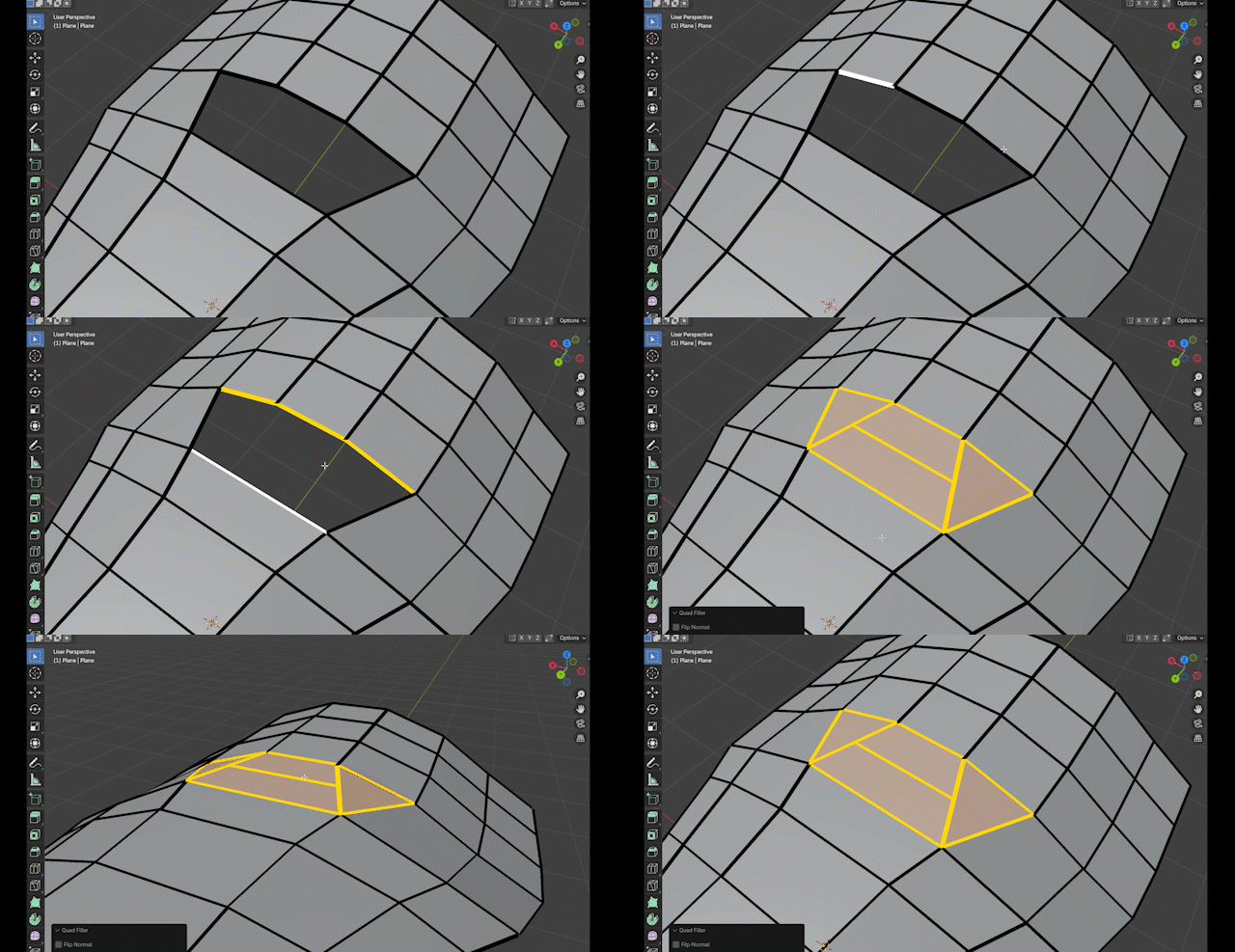
Quad Filler 是一款高效轻量的Blender建模插件,专为快速补洞与连接开放边线而设计。只需选择两条开放边线,即可一键生成以四边面为主的干净拓扑,大幅减少手动桥接与后期清理时间,让建模流程更加顺畅、高效,尤其适合硬表面建模与模型拓扑整理。
Quad Filler is a lightweight Blender add-on that helps you quickly patch holes and connect open edge chains with clean results. Select two open edge chains, run the tool, and it generates a quad-first bridge automatically — reducing manual bridging, cleanup, and topology fiddling.
资源信息:
Blender 4或者低版本
打开软件,顶部菜单点击 编辑(Edit) → 首选项(Preference) → 插件(AAdd-ons) → 安装(Install) ,在弹出的窗口里选择插件zip文件安装
Blender 4.1或者高版本
打开软件,在顶部菜单编辑(Edit)→ 偏好设置(Preference)→ 插件(Add-ons),右上角下拉,选择从磁盘安装,在弹出的窗口里选择插件zip文件安装
支持Blender 3.4 – 5.0