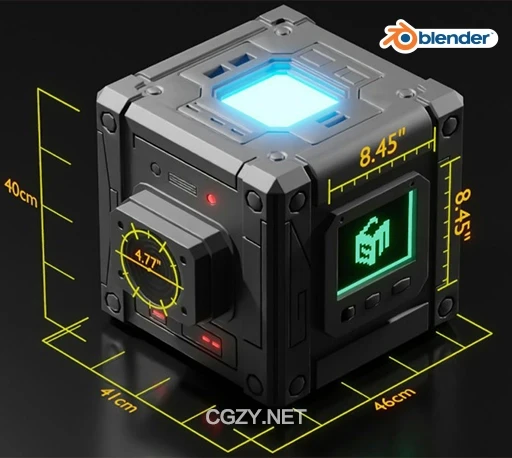
资源介绍:
Geomeasure 2 – A Powerful 3D Measuring Tool是一款Blender三维测量工具插件,使用Geometry Nodes构建,适用于需要高精度建模、建造、产品设计、建筑可视化等场景的用户。它允许在3D模型中实时测量长度、距离和空间位置,支持单位自定义与可视化标尺。
主要功能:
- ✅ 实时测量显示:在模型变形、缩放、旋转时,测量结果实时更新。
- ✅ 可视标尺系统:通过曲线(Ruler)和轴向标尺可视化距离,支持闭环与非闭环形式。
- ✅ 单位切换:支持 毫米、厘米、米、英寸、英尺 等单位,甚至自定义单位。
- ✅ 自定义外观:可调整文本大小、偏移、颜色(XY/Z 轴可单独设置),提升阅读与审美体验。
- ✅ 交互式操作:直接在视图中编辑标尺位置,便于快速对齐和精细测量。
- ✅ Geometry Nodes 构建:高性能、低开销,兼容性强。
Introducing GeoMeasure, a sophisticated 3D measuring tool meticulously crafted for precision measurements within the Blender 3D software environment. This tool empowers users to accurately gauge dimensions and distances of 3D models, enhancing the precision and efficiency of spatial analysis within the realm of Blender’s dynamic 3D design capabilities.
安装方法:
Blender 4或者低版本
打开软件,顶部菜单点击 编辑(Edit) → 首选项(Preference) → 插件(AAdd-ons) → 安装(Install) ,在弹出的窗口里选择插件zip文件安装
Blender 4.1或者高版本
打开软件,在顶部菜单编辑(Edit)→ 偏好设置(Preference)→ 插件(Add-ons),右上角下拉,选择从磁盘安装,在弹出的窗口里选择插件zip文件安装
支持Blender 4.3, 4.2, 4.1, 4.0, 3.6, 3.5, 3.4, 3.3